A tasbih that counts with you
سُبْحَانَ ٱللَّٰهِ SubhanAllahTap the ring. In the app, Space works too.
 Noor
Coming soon
Today's times at a glance, one-tap logging, morning and evening adhkar, and a gentle Imam who walks on and speaks before each prayer.
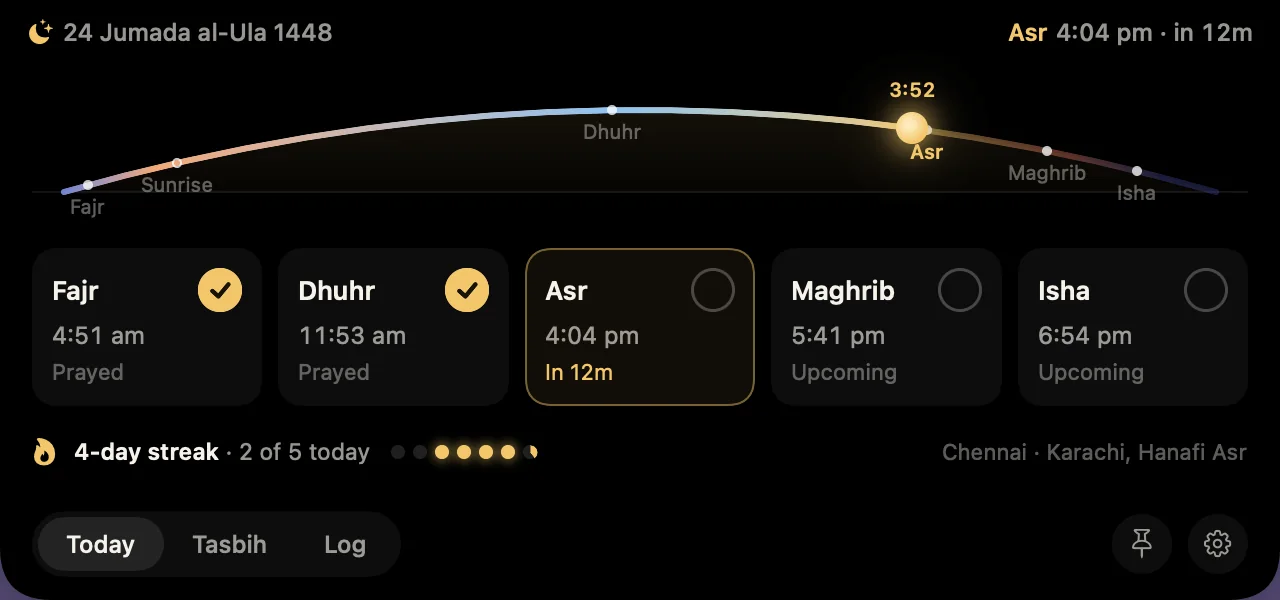
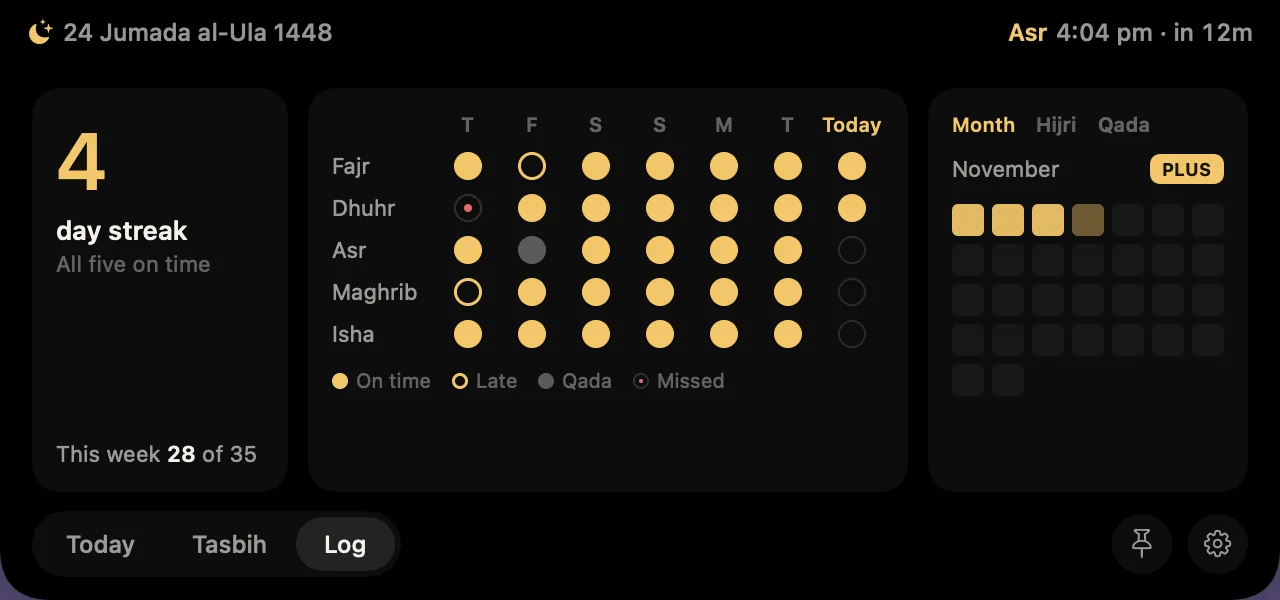
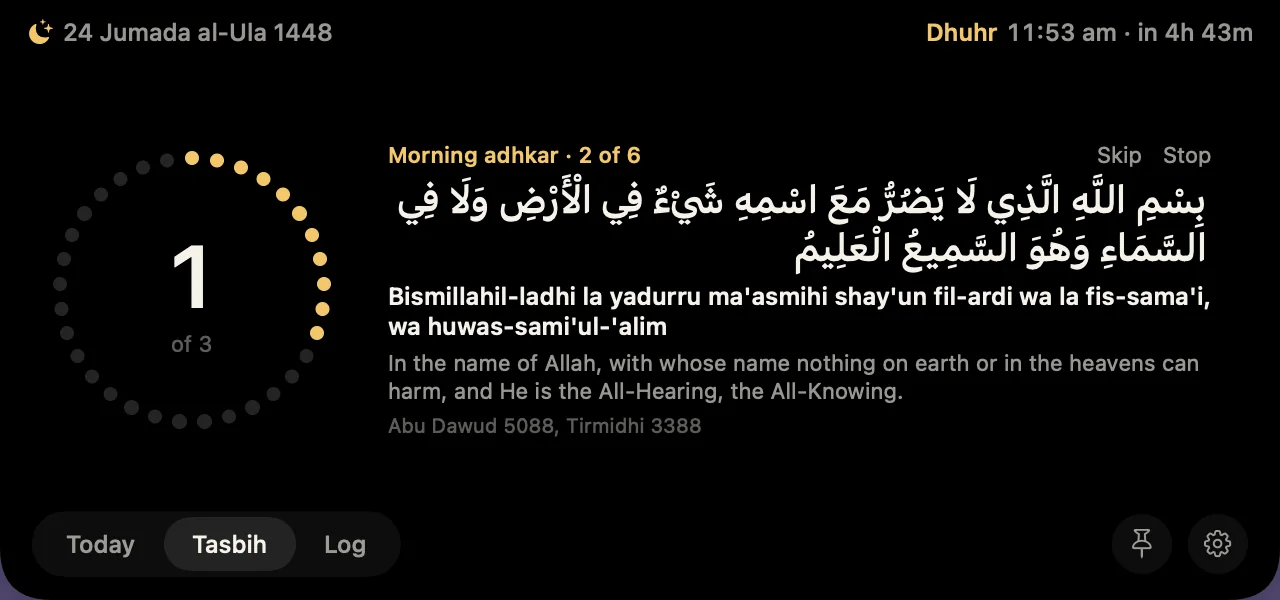
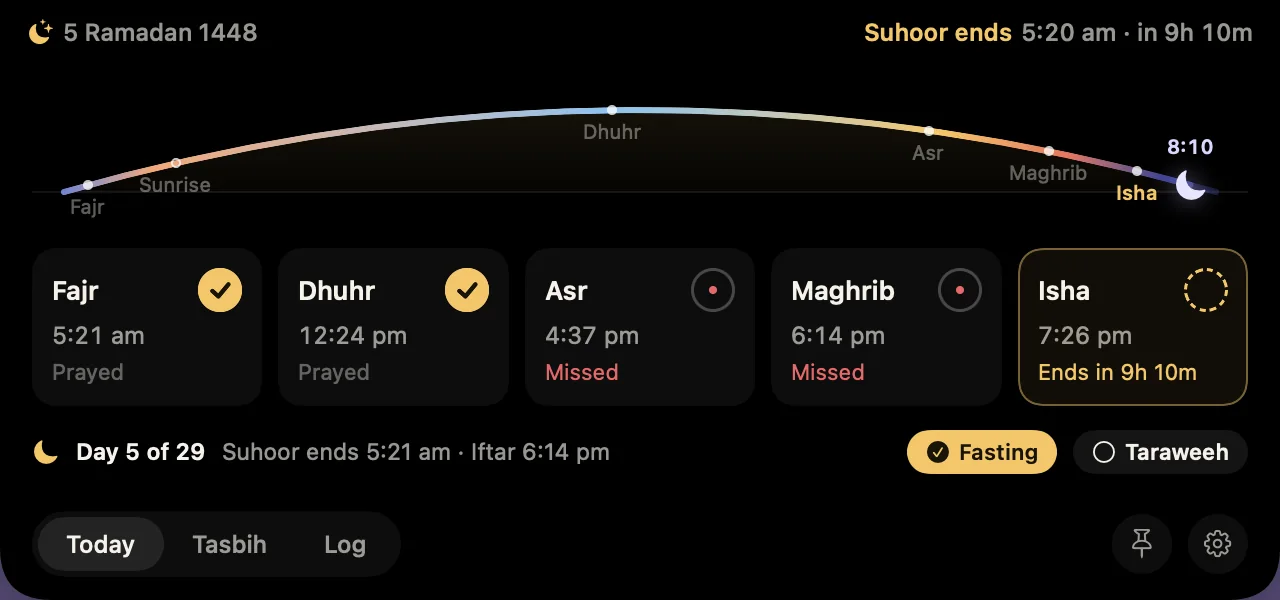
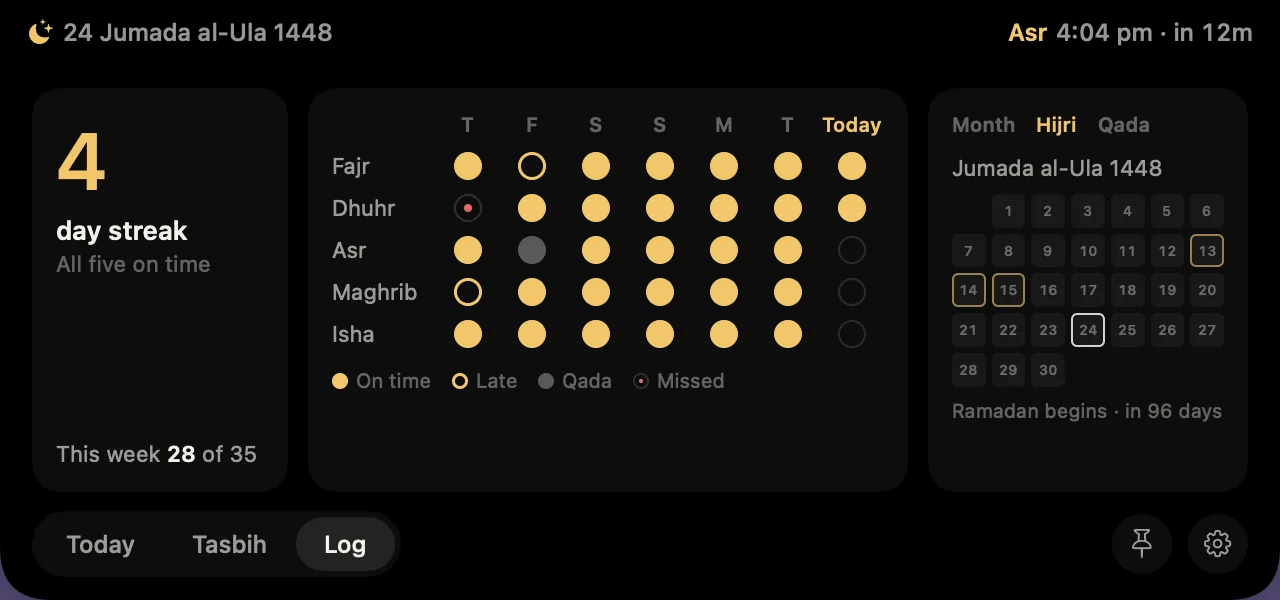
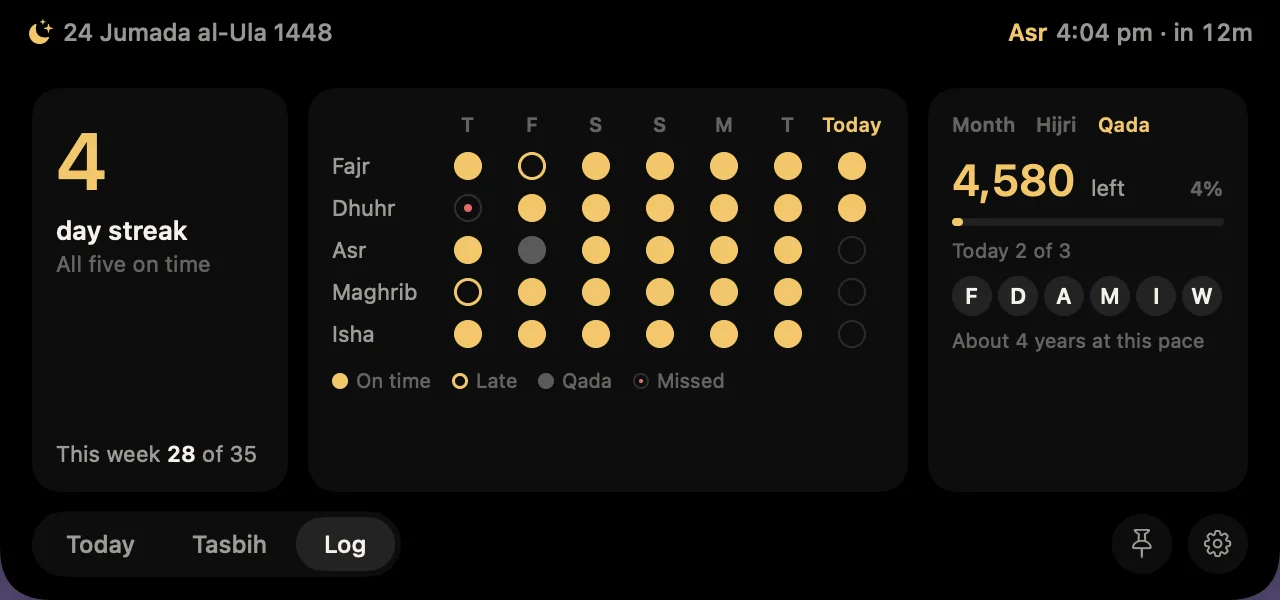
Fajr to Isha at a glance, the sun moving across it. Tap a prayer to log it, on time, late or as qada.
On time, late or made up, every prayer has its mark. Keep a streak going one day at a time.
Arabic, transliteration and meaning, one at a time, counted on the ring. Every one shows its hadith source.
Suhoor and iftar count down in the notch, with Taraweeh if you want it and a fasting log that never asks why.
The month at a glance, the white days marked, and a quiet note the evening before each occasion and voluntary fast.
With Noor Plus, a private count of missed prayers and a daily goal you set. It stays on your Mac, and it's yours alone.
Tap the ring. In the app, Space works too.
A short recorded Azaan for each prayer, with its own edition at Fajr. Never while your screen is shared or locked, or on a call.
Jamaat times from your masjid, prayer blocks in your calendar, and reminders that move around meetings.
Times are calculated on your Mac. No account, no server, and your log never leaves it.
A Friday morning reminder of ghusl, Surah al-Kahf and the khutbah, with your masjid's Jumu'ah time if you add it.
Land in a new city and the times follow your Mac. A city you chose by hand stays where you put it.
No notch, or an external display? Noor draws a small one at the top centre, and everything works the same way.
Fifteen minutes before each prayer he walks onto your desktop, says a few words in his own recorded voice, and goes when you answer.
He has no face, out of respect. When he prays you see only the takbir and the standing. In the app, choose Text + voice, Text only or Muted.
He never steps over a full-screen app. When your screen is shared or locked, or you're on a call, a quiet notification comes instead. He asks once per prayer, and always accepts later.
Noor is free, for good. Noor Plus adds the Imam and the deeper tools, and you can try all of it first.
Everything unlocked from the moment you start it, with one button in the app. Nothing is charged afterwards. When the week ends, Noor stays free and nothing is taken away abruptly.
Free
$9.99once, for every Mac on your Apple account
Try it free for 7 days
One purchase in the Mac App Store. No subscription.
Coming soon to the Mac App StoreSomething else? See support or write to us.
On your Mac, with the Adhan algorithm. Karachi with Hanafi Asr is the default. You can choose Muslim World League, ISNA, Umm al-Qura, Egypt, Dubai or Singapore, switch the Asr school, and adjust any prayer by a few minutes.
Yes. On Macs and external displays without a notch, Noor draws a small one at the top centre of the menu bar, and everything works the same way.
No. There is no account and no server. Your prayer log, tasbih counts and settings stay in a folder on your Mac. If you buy Noor Plus, Apple handles the purchase, and we never see your card or your name.
Start it with one button in the app, whenever you like. It is free, and nothing is charged afterwards. When the week ends, Noor keeps working with every free feature, the Imam's reminders become quiet notifications, and you can unlock Plus at any time for $9.99, once.
No. He never appears over a full-screen app, while your screen is shared, on a call, or on a locked screen; a quiet notification comes instead. He comes once per prayer, with one optional check-in if the time is ending, and you can snooze or mute him at any time.
Yes, in short recorded lines, with his words in a bubble beside him. Noor never generates speech on the fly and never listens to you. Choose Text + voice, Text only or Muted in Settings.
Install Noor from the Mac App Store with the same Apple account, then choose Restore Purchases under Noor Plus in Settings. There is no key to keep and it works offline.
Out of respect. He has a soft glowing light where a face would be, and he speaks through posture and gesture. When he prays, you see only the takbir and the standing before he fades away.
A Windows version is planned after the Mac app. It will be sold separately, because purchases in the Mac App Store stay with Apple.
Noor is almost ready for the Mac App Store. It will be free, with 7 days of Noor Plus to try.
Coming soon to the Mac App StoreFor macOS 14 or later.